...
Home » IT Services Solutions » M365 Tenant Consolidation: Best Practices for Post-Merger IT Integration

M365 Tenant Consolidation: Best Practices for Post-Merger IT Integration

by Umar Waseem
M365 Tenant Consolidation: Best Practices for Post-Merger IT Integration

Key Takeaways

  • Prioritise Consolidation: Unifying M365 tenants eliminates collaboration friction, enhances security, and significantly reduces redundant software licensing costs.
  • Audit Before Migrating: Identify and remove redundant, obsolete, or trivial (ROT) data to ensure a faster, cleaner migration process.
  • Choose Your Strategy: Select between “Big Bang” or phased migrations based on the size and acceptable downtime limits of your organisation.
  • Secure Your Environment: Consolidate to enforce a single Zero Trust framework and unified Multi-Factor Authentication across all user accounts.
  • Communicate With Staff: Clear, proactive communication prevents user frustration during changes to email addresses, logins, and file access.
  • Partner With Experts: Engaging a London-based MSP like Fortray reduces technical risk and ensures a seamless, professional transition.

Once two companies join forces, the legal paperwork is often the easiest part! The real work begins when your teams try to work together and realise they are digitally invisible to one another. One side uses a specific set of Microsoft 365 (M365) tools, while the other has a completely different setup, different security rules, and a separate employee directory.

This digital “wall” between teams is the primary reason why M365 tenant consolidation is a top priority for IT leaders following a merger or acquisition. Instead of just moving the files or exchanging directories, you merge two distinct corporate cultures into a single, high-performing digital workspace.

If done wrong, it leads to data loss, identity conflicts, licensing chaos, and security gaps. If done right, it results in cost optimisation, unified collaboration, stronger governance, and faster digital transformation. In this blog, we’ll explore strategic best practices for merging M365 environments to ensure a seamless, secure, and cost-effective post-merger integration.

What is M365 Tenant Consolidation?

M365 Tenant is a dedicated instance of cloud services within the Microsoft ecosystem, including Exchange Online, SharePoint, Teams, and Azure AD.

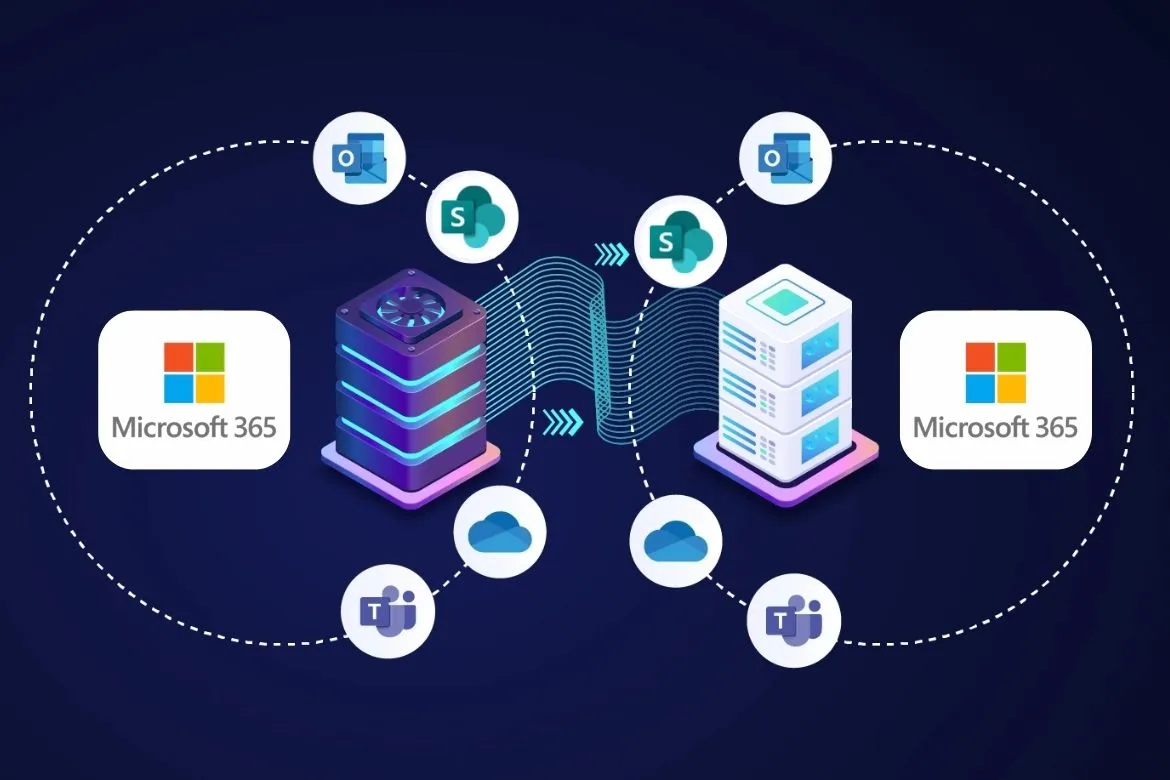
Tenant Consolidation is the process of merging two or more tenants into a single entity, typically following mergers & acquisitions, divestitures, and global restructuring. Unlike simple migrations, consolidation involves identity merging, domain restructuring, and service alignment; all without disrupting business operations.

The tenant-to-tenant migrations require careful planning across identity, data, and workloads to avoid service disruptions and compliance risks.

The Business Case for Consolidation: Beyond Technical Clean-up

The decision to consolidate tenants is driven by three primary levers: cost, security, and productivity.

  1. Licensing Optimisation: Managing two separate enterprise agreements often results in redundant licensing costs. By consolidating into a single tenant, organisations can leverage volume licensing and eliminate “zombie accounts” that often linger in neglected environments.
  2. Unified Security Posture: It is nearly impossible to enforce a consistent Zero Trust framework across two different tenants. Consolidation allows for a single set of Conditional Access policies, unified Multi-Factor Authentication (MFA), and centralised Purview data governance.
  3. Seamless Collaboration: True integration means a single “People” search in Outlook and seamless “Join” buttons for Teams meetings across the new entity.

Phase 1: Pre-Migration Discovery and Governance

The most common mistake in tenant-to-tenant (T2T) migrations is rushing into the “move” before understanding the “what.”

Data Audit and Cleanup

Before moving a single byte, you must categorise your data! Do You Know? 33% of corporate data is “ROT” (Redundant, Obsolete, or Trivial). Migrating ROT data increases the migration window, raises costs, and complicates compliance.

It is better touse M365 usage reports to identify inactive SharePoint sites and archived Mailboxes. Decide whether to migrate, archive to cold storage (e.g., Azure Blob Storage), or delete.

Identity Architecture

How will users log in? In the United Kingdom, many firms operate in a hybrid environment with on-premises Active Directory (AD). You must decide whether to move toward a “Greenfield” tenant or merge the acquired company into the “Parent” tenant. This involves complex decisions regarding UPN (User Principal Name) suffixes and SMTP addresses.

Need to ensure your data migration meets industry standards? Click here to explore our IT Compliance and Governance services to keep your transition audit-ready.

Phase 2: Choosing the Right Migration Architecture

Microsoft offers several consolidation options, but the choice depends on data volume and the acceptable level of downtime.

1. The Big Bang Migration

Best for smaller organisations (under 100 users). The data: mail, OneDrive, and SharePoint, is moved over a single weekend. There remains a minimal period of coexistence, but due to high risk, the process requires flawless execution and high bandwidth.

2. Phased (Staged) Migration

In staged migration, users are moved in “waves” based on department or location. This requires a “coexistence” phase where users in Tenant A can see the free/busy status of users in Tenant B. The cross-tenant meeting connection and people search features in Microsoft are vital here.

3. Move-Group Approach

Grouping users by project dependency. If the Finance teams in Company A and Company B work closely together, they must be moved together to prevent broken workflows in shared Excel Workbooks or Power BI dashboards.

Phase 3: The Technical Execution – Mail, Teams, and SharePoint

Exchange Online: The Heart of Communication

Mailbox migration is typically the most mature part of the process. Microsoft now offers “cross-tenant mailbox migration,” which moves mailboxes directly between tenants without the data ever leaving the Microsoft 365 backend. This is significantly faster than traditional “pull/push” methods using third-party tools.

Microsoft Teams: The Complexity Layer

Teams is the hardest workload to consolidate. You aren’t just moving files; you are moving chat histories, channel structures, and integrated third-party apps.

Private channel memberships and “Tabs” in Teams often require manual reconfiguration or specialised third-party software (such as BitTitan or ShareGate) to migrate effectively.

SharePoint and OneDrive

Data integrity is paramount. Metadata (Created By, Modified Date) must be preserved for compliance purposes, especially in highly regulated sectors such as Finance and Legal.

Phase 4: Post-Migration Optimisation and Managed IT Support

Once the data is moved, the work isn’t over. This is where most internal IT teams struggle, and where Managed IT Services provide the highest ROI.

License Harvesting

Post-consolidation, you will likely have a surplus of licenses! MSP (Managed Service Provider) can perform a “License Optimisation Audit,” ensuring you aren’t paying for E5 features for users who only require F3 frontline worker capabilities.

Security Hardening

In a merged environment, the attack surface changes. You must audit:

  • External Sharing: Ensure that SharePoint sharing settings aren’t too permissive.
  • App Permissions: Review which third-party apps have “Read/Write” access to your unified tenant.
  • Entra ID Governance: Implement Privileged Identity Management (PIM) to ensure no one has permanent Global Admin rights.

Secure Your Digital Future with Expert IT Solutions

Managed IT Services
On-Site IT Support

Not sure what you’re looking for?

The Role of an MSP in Tenant Consolidation

For businesses in the United Kingdom, the internal IT team is already stretched thin managing daily operations. Managing a T2T migration, which demands deep expertise in PowerShell, DNS propagation, and identity synchronisation, often calls for external reinforcements.

Partnering with an MSP in London provides several advantages:

  1. Specialised Tooling: MSPs have access to enterprise-grade migration software that provides better logging and error recovery than native tools.
  2. 24/7 Support: Migrations happen on weekends and at night. Having a Managed IT Support London team ensures that when your staff logs in on Monday morning, any “Outlook profile” issues are resolved instantly.
  3. Risk Mitigation: An experienced partner knows the “gotchas,” like how long it takes for a domain to be released from one tenant so it can be added to another (which can take anywhere from 1 to 24 hours).

Critical Best Practices for Post-Merger Success

1. Communication is Key

Employees are already stressed by the merger. Changes to their email or how they access files can be the tipping point.

It is better to send a “Day 1 Readiness” guide. Clearly explain what will change (e.g., “You will need to sign in with your new @company.com address”) and what will stay the same.

2. Don’t Ignore “Shadow IT”

During the discovery phase, you will likely find that the acquired company was using Slack, Dropbox, or Zoom. Consolidation is the perfect time to migrate these into the M365 ecosystem to reduce “app sprawl” and costs.

3. The “Turning Off the Lights” Protocol

Don’t delete the old tenant immediately. Keep it in a “frozen” state for 30–90 days. Practical 365 Guide states that having a fallback or a way to retrieve a missed file is a critical safety net.

Why Technical Debt is Your Greatest Enemy?

Ignoring tenant consolidation leads to “Digital Debt.” Over time, the cost of managing two sets of security logs, two billing cycles, and two helpdesk workflows exceeds the one-time cost of a migration project.

Do You Know? 70% of organisations that do not centralise their SaaS management post-M&A will overspend by at least 25% through 2027, according to Gartner.

Secure Your Digital Future with Expert IT Solutions

Licensing & Hardware
MS 365 Management & Licensing

Not sure what you’re looking for?

Conclusion

M365 tenant consolidation is more than a migration; it is the foundation of your new, unified corporate culture. By following a structured approach: Discovery, Architecture selection, Execution, and Managed Support, businesses can ensure that their IT infrastructure accelerates the goals of the merger rather than hindering them.

If you are looking for Managed IT Services to lead the project or Managed IT Support London to assist with the post-migration transition, the key is to prioritise user experience and data integrity.

Ready to Streamline Your IT Integration? Contact Fortray Today to discover how expert M365 Management can de-risk your consolidation project and optimise your licensing for the long term.

Frequently Asked Questions (FAQs)

1. What is M365 tenant consolidation?

It is the process of merging multiple Microsoft 365 environments into a single tenant to unify communication, security, and licensing post-merger.

2. How long does a tenant-to-tenant migration take?

Timelines vary by data volume, but most migrations take 30–90 days, including discovery, technical cutover, and post-migration hypercare for end users.

3. Can users keep their email addresses during a merger?

Yes. Through domain sharing and strategic cutovers, users can maintain their original email addresses while migrating to the primary destination tenant.

4. What are the biggest risks of M365 consolidation?

Data loss, broken Teams integrations, and identity conflicts are primary risks. These are mitigated through rigorous auditing and professional managed IT support.

5. How can Fortray assist with tenant integration?

Fortray, a leading London MSP, provides expert Microsoft 365 Management to ensure secure, seamless migrations and cost-efficient licensing for enterprises in the United Kingdom.

You may also like

Seraphinite AcceleratorOptimized by Seraphinite Accelerator
Turns on site high speed to be attractive for people and search engines.